
WebRTC has a guide (also here) that walks through submitting code step by step. I recently fixed an Android camera bug where the capture frame rate could be matched incorrectly (Bug), and went through the process myself. Here is a record of that experience.
Individual Contributor License Agreement
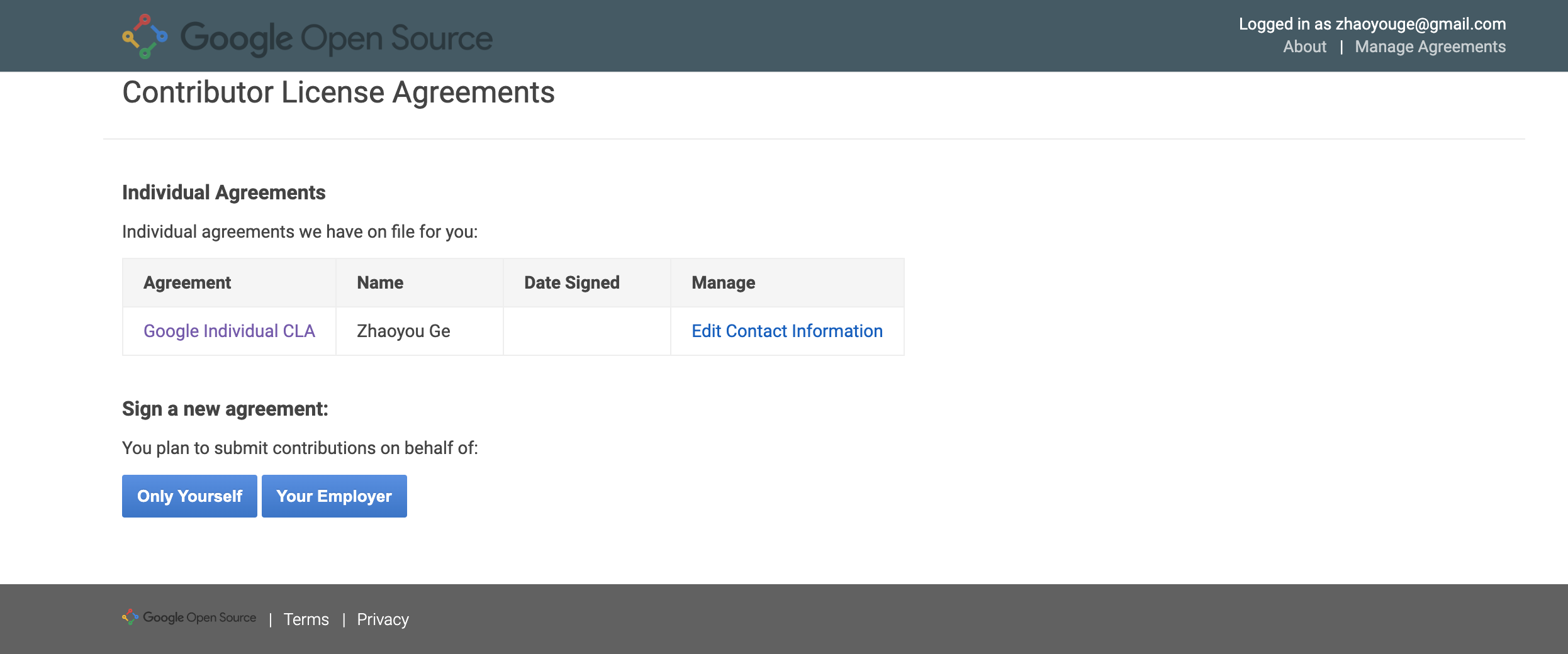
First, accept Google's Individual Contributor License Agreement as an individual contributor. When successful, it looks like this:
Check Out the Code
This step requires a full WebRTC checkout, including dependencies and third-party libraries. The upload tool runs pre-submit checks—otherwise you will hit errors or hang.
Code checkout reference: https://webrtc.googlesource.com/src/+/refs/heads/main/docs/native-code/development/
Add Author
In the WebRTC source file src/AUTHORS, add your name and email in the correct format. Note: add yourself in the individuals section.
Configure Git
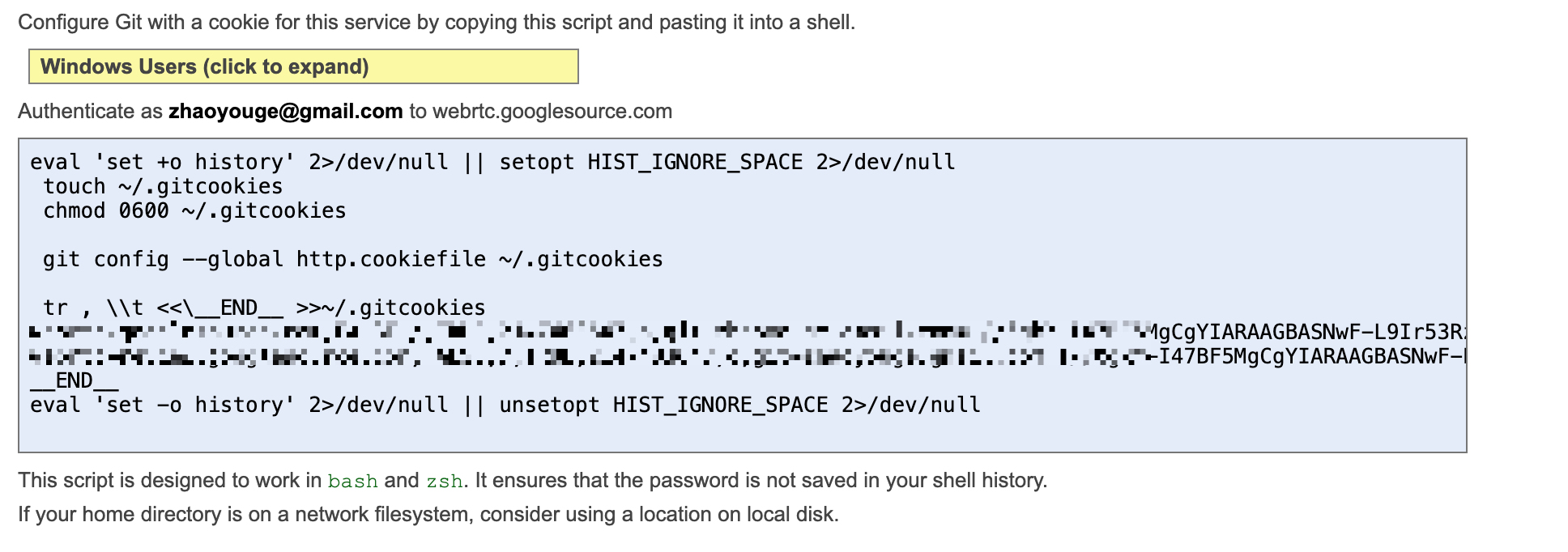
Go to https://webrtc.googlesource.com/new-password and sign in with your Google account. This account must match what git config user.email returns—you can change it via ~/.gitconfig.
The page generates a configuration script—run it in your terminal:
Verify the configuration by running:
git cl creds-check
git cl is a custom Git command from Google's depot_tools. Configure depot_tools before downloading WebRTC code. With no errors, you should see:
git is already configured to use your .gitcookies from /Users/admin/.gitcookies
Your .netrc and .gitcookies have credentials for these hosts:
                          Host	                   User	 Which file
==============================	=======================	===========
webrtc-review.googlesource.com	git-jaaron.gmail.com	.gitcookies
       webrtc.googlesource.com	git-jaaron.gmail.com	.gitcookies

No problems detected in your .gitcookies file.
Modify Code
Standard Git workflow—use the command line or any GUI tool.
Create a branch:
git checkout -b branch-name
After making changes, commit:
git commit -am "修改内容的大概描述"
Upload Code
Before uploading, configure proxies for both Git and your terminal to ensure a stable network connection.
Git proxy configuration:
git config --global http.proxy http://127.0.0.1:7890
git config --global https.proxy http://127.0.0.1:7890
Terminal proxy configuration:
export https_proxy=http://127.0.0.1:7890 http_proxy=http://127.0.0.1:7890 all_proxy=socks5://127.0.0.1:7890
Upload from the src directory:
git cl upload -v
The -v flag shows detailed output logs. I hit a pitfall here—it hung for a long time. At first I suspected the proxy, and spent an entire evening on it. Later I found the cause: to save bandwidth, I had only cloned the single repo https://webrtc.googlesource.com/src. Upload runs simple tests and code analysis, and the related dependencies were missing:
Error 1:
Found change with 1 commit...
Running Python 3 presubmit upload checks ...
Ignoring /Users/admin/repos/github/webrtc/src/sdk/android/api/org/webrtc/CameraEnumerationAndroid.java; not a valid file name (cc, cu, cpp, cuh, h)
Error 2:
    from generate_licenses import LicenseBuilder
  File "/root/work/src/tools_webrtc/android/../libs/generate_licenses.py", line 116, in <module>
    import find_depot_tools
ModuleNotFoundError: No module named 'find_depot_tools'
Once there are no errors, a vim editor opens for a detailed change description. Then a lot of output appears and the upload succeeds:
...
...
Enumerating objects: 17, done.
Counting objects: 100% (17/17), done.
Delta compression using up to 8 threads
Compressing objects: 100% (7/7), done.
Writing objects: 100% (9/9), 938 bytes | 938.00 KiB/s, done.
Total 9 (delta 6), reused 0 (delta 0), pack-reused 0
remote: Resolving deltas: 100% (6/6)
remote: Waiting for private key checker: 2/2 objects left
remote: Processing changes: refs: 1, new: 1, done
remote: commit 674552b: warning: subject >50 characters; use shorter first paragraph
remote: commit 674552b: warning: too many message lines longer than 72 characters; manually wrap lines
remote:
remote: SUCCESS
remote:
remote:   https://webrtc-review.googlesource.com/c/src/+/342100 Fix Android camera error of obtaining FramerateRange closest to the set ... [NEW]
remote:
To https://webrtc.googlesource.com/src.git
 * [new reference]         674552b8d3fbcb0ced4644eb6ce753a6deb69b44 -> refs/for/refs/heads/main%m=Initial_upload
remote: https://webrtc-review.googlesource.com/c/src/+/342100 is the code review URL for your upload.
Code Review
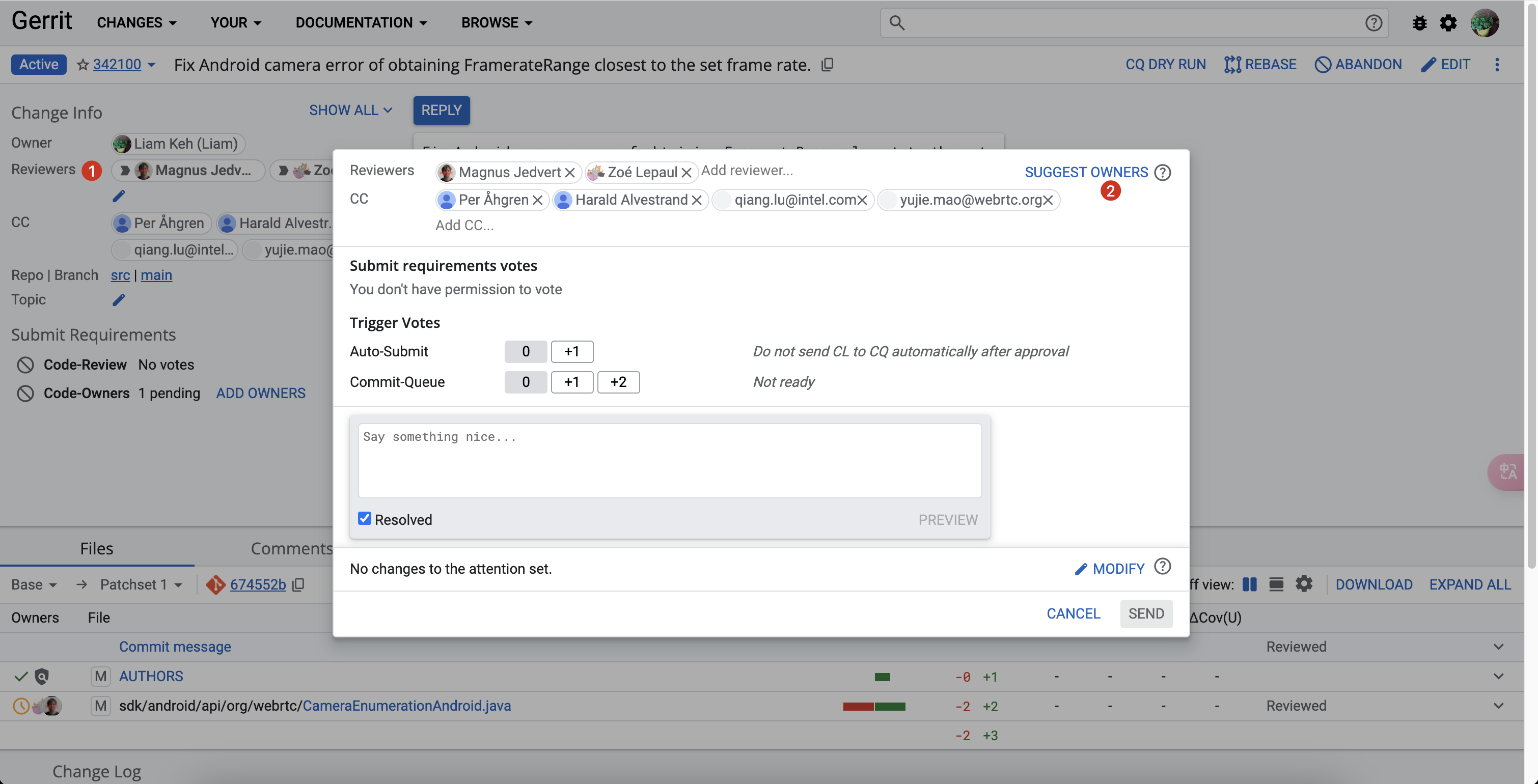
Open the code review URL from above, sign in, and you can see the submission status.
Click the pencil next to Reviewers and assign reviewers. I used suggest owners and picked two reviewers. Then wait for review—if reviewers approve the patch, they will submit it to the commit queue.